Codex CLI Review 2026: OpenAI's Terminal Coding Agent | Runable
Learn what Codex CLI does in the terminal, how its permissions and costs work, and where a hosted product builder differs, with context for runable readers.
For readers exploring runable, this review explains Codex CLI’s terminal-based coding workflow, permissions, and costs. It also considers when a dedicated product builder serves a different need.
Codex CLI is OpenAI’s open-source coding agent that lives in your terminal — inspecting files, editing code, running commands and reviewing diffs. I went through the CLI docs, the openai/codex repository and the current feature set to explain what Codex CLI does well in 2026, what it costs, and where a dedicated builder still beats it.
The terminal has quietly become the most contested surface in AI-assisted development, and Codex CLI is OpenAI’s entry. It is a lightweight agent you launch with a single codex command inside a repository, and it then reads your code, proposes changes, runs your tools and — with the right permissions — commits to a plan without you leaving the shell. I spent a week reading Codex CLI's documentation end to end, tracking the openai/codex repo's release cadence and comparing the workflow it prescribes with how developers actually describe using it.
I also kept a prompt-to-product builder, Begin, open in a second tab for the one job Codex CLI is not designed for — turning a brief into a deployed, hosted product with sign-in and payments already wired — and I will come back to that comparison at the end.
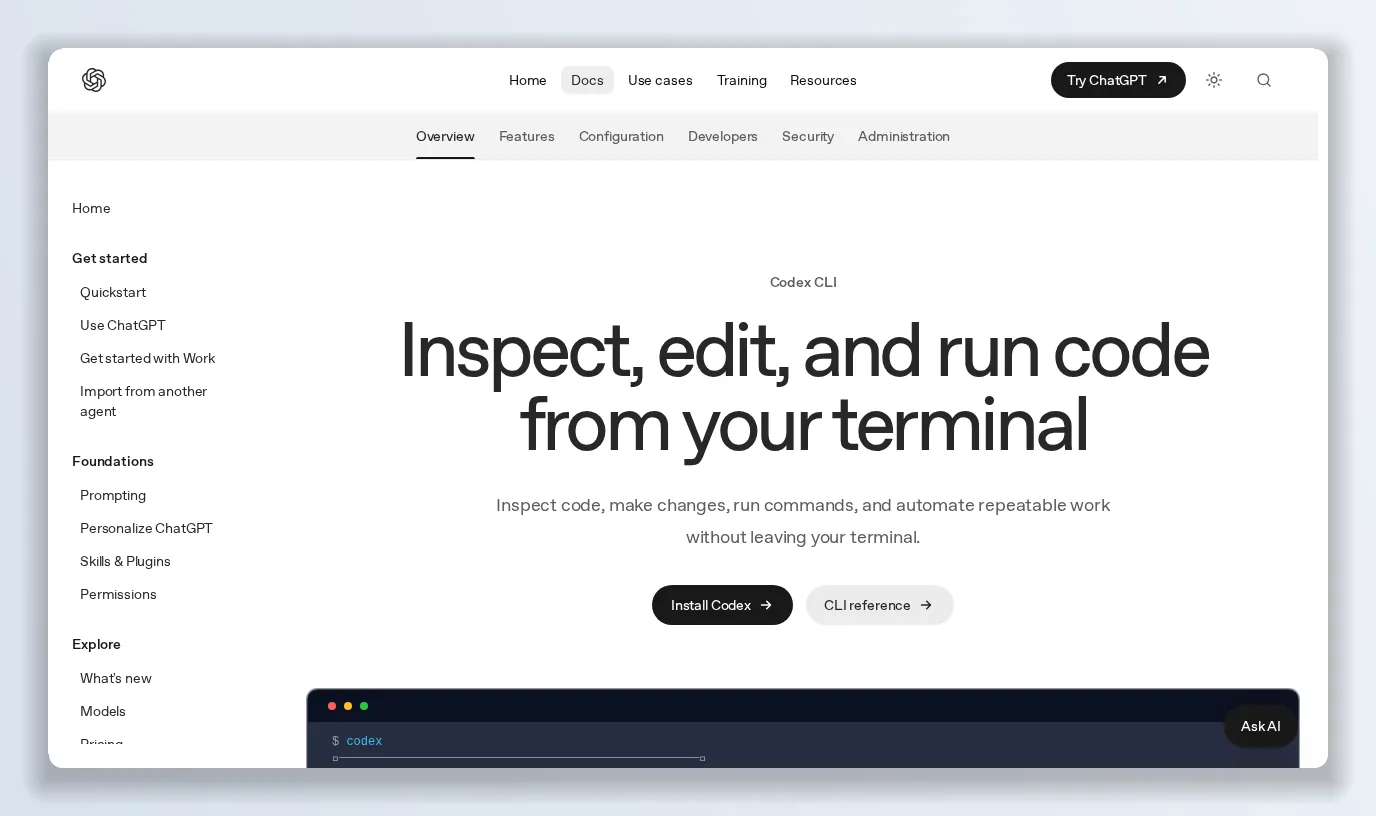
The Codex CLI docs open with the three-line pitch: work against your local repo, choose the model and permissions, and compose with scripts and CI.
What Codex CLI is
Codex CLI is a coding agent from OpenAI that runs locally on your computer. It is distinct from Codex in the IDE (VS Code, Cursor, Windsurf), the Codex desktop app, and Codex Web, the cloud-based agent — all share the Codex name, but the CLI is the one that lives in a terminal loop. The repository is public, Apache-2.0 licensed, and written mostly in Rust; as of September 2026 it sits at roughly 125.8k stars, 4,671 branches and over 1,100 releases, with a current version in the 0.155 line.
The docs summarise Codex CLI in three promises:
- Work against your local repository. Codex CLI inspects files, makes edits and runs the tools already installed on your machine.
- Stay in control. You choose the model, reasoning effort, permissions and commands that fit the task.
- Compose with scripts and CI. Use Codex CLI interactively, or call codex exec from repeatable workflows and pipelines.
Installing Codex CLI and signing in
Installation is one line on macOS and Linux — curl -fsSL https://chatgpt.com/codex/install.sh | sh — with Windows, npm and Homebrew paths also documented. You open a project directory, run codex, and on first launch choose Sign in with ChatGPT or another available sign-in method. Codex CLI is included in ChatGPT's Free, Go, Plus, Pro, Business, Edu and Enterprise plans, so for most people the entry cost is whatever they already pay for ChatGPT; API-key billing is the alternative for automation in shared environments like CI.
The startup screen tells you the model (the docs show gpt-5.6-sol medium) and lists the first commands worth knowing: /init to create an AGENTS.md instructions file, /status for session configuration, /permissions to choose what Codex CLI may do, /model to change the model and reasoning effort, and /review to review changes and find issues.
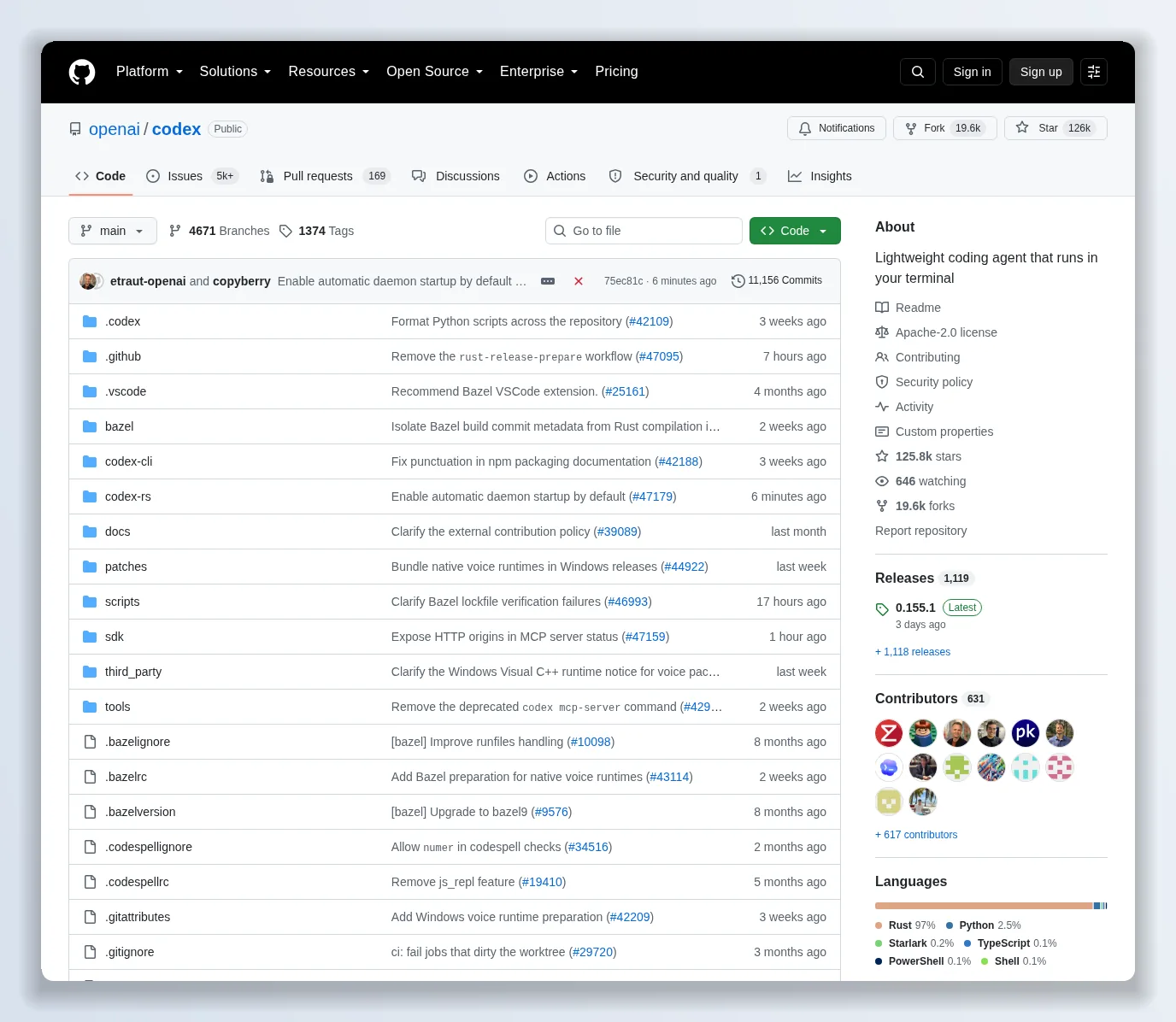
Codex CLI is open source under Apache-2.0–125.8k stars and over 1,100 releases — though the repo now states that external pull requests are not accepted.
The core loop: explore, plan, edit, run
Start Codex CLI in a repository and the loop is what you would expect from a competent pair: explore unfamiliar code, plan a change, edit files, run local development tools. What sets Codex CLI apart is how much of that loop is inspectable. You can steer the active turn mid-run, watch commands and diffs as they appear, and keep follow-up work in the same session. Git checkpoints before and after a task are the documented best practice so that anything Codex CLI does is one revert away.
Review before you ship
codex review is the feature I would recommend even to people who never let an agent edit anything. It runs a dedicated review against uncommitted changes, a specific commit, or a base branch (PR-style), and reports prioritised findings without modifying your working tree. Custom review instructions are supported. For teams, this turns Codex CLI into a pre-commit reviewer that is stateless and cheap to run repeatedly.
The features that make Codex CLI a workflow, not a chat
The docs list the building blocks for a terminal workflow around Codex CLI:
- codex resume — return to a saved chat from the current repository, or search across local chats.
- codex --image — pass an error screenshot, architecture diagram or design reference with the first prompt, or paste one into the composer.
- Subagents — ask Codex CLI to delegate focused work to specialised agents, then bring their findings back into the main session.
- codex --search — switch a run to live web search when a task depends on current releases or documentation; search activity stays visible in the transcript.
- codex mcp — add local or remote MCP servers, authenticate, and inspect the tools available before Codex CLI uses them.
- /permissions — set when Codex CLI may edit files or run commands without asking, and inspect the sandbox and writable roots.
- Skills and plugins — package repeatable instructions as skills, then install plugins (the docs show a marketplace with 1,751 available, including GitHub, Gmail, Google Calendar and Drive) to connect Codex CLI to your team’s tools.
Recent releases also enabled automatic daemon startup by default for interactive launches, which shortens the time from codex to first response.
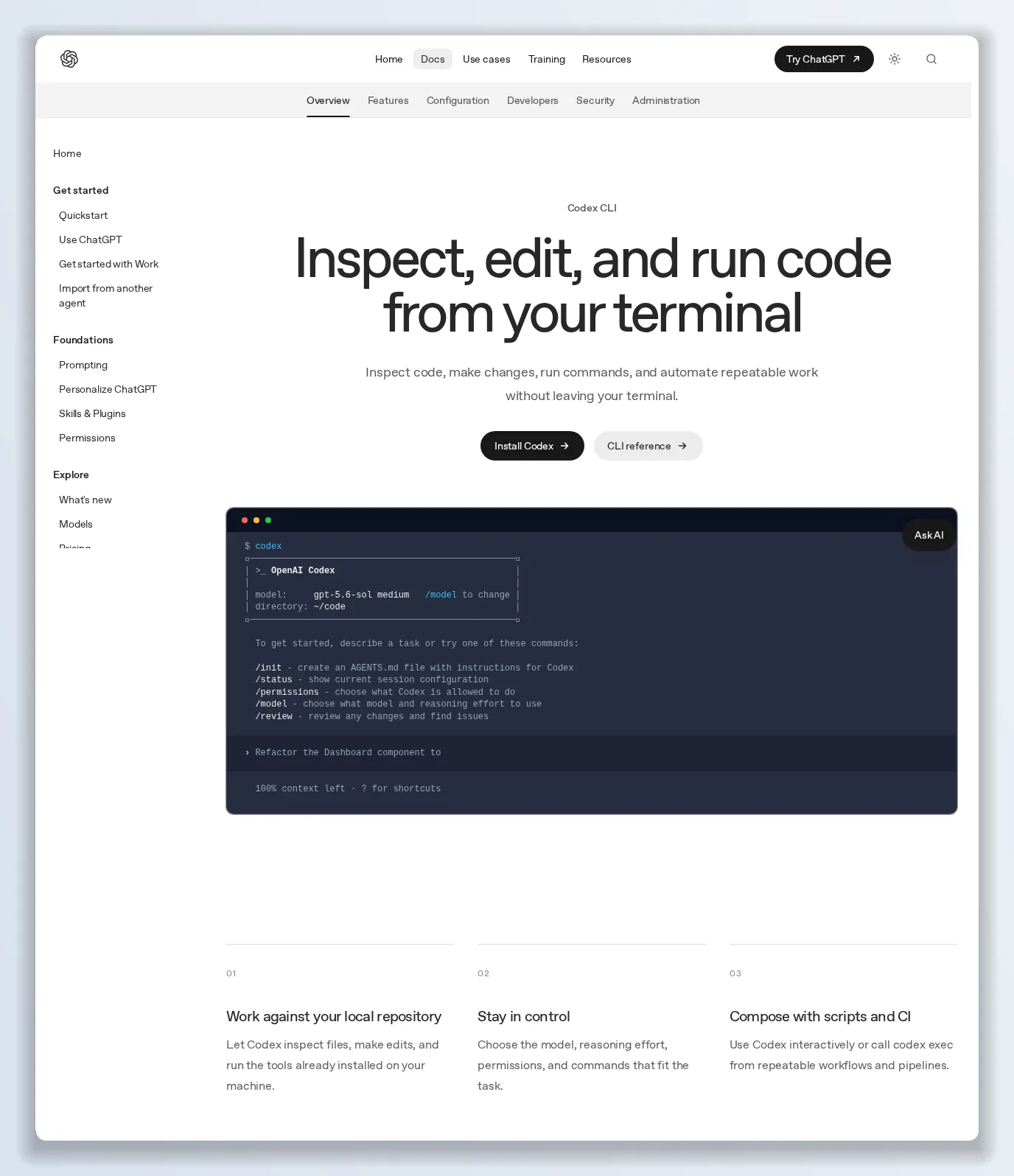
Three steps to a first task, and the docs push Git checkpoints before and after so every Codex CLI change is revertible.
Codex CLI pricing
Codex CLI itself is free and open source. Usage is billed through whichever ChatGPT plan you sign in with — Free ($0), Go ($8/month), Plus ($20), Pro (from $100), Business, Edu and Enterprise — and Codex shares its usage allowance with ChatGPT Work. Since April 2026 Codex bills on token-based credits rather than per message, so heavier reasoning effort and larger contexts cost more of your allowance. For CI and shared automation, the API-key route pays per token at API rates.
What Codex CLI gets right
- Open source and inspectable, with a fast release cadence.
- Review mode that never touches your tree.
- Real permission boundaries — sandbox, writable roots, per-run approvals.
- Composability via codex exec, MCP, skills and plugins.
- Bundled with ChatGPT plans, so there is nothing new to buy for most developers.
Where Codex CLI falls short
- Allowance anxiety. Token-based credits shared with ChatGPT mean a long agentic session can eat a Plus plan’s weekly limit quickly.
- No external contributions. The repo now explicitly declines outside pull requests, so “open source” means readable, not community-driven.
- It edits code; it does not ship products. Codex CLI produces diffs in a repository you already have. Hosting, auth, payments and app-store targets are still yours to assemble.
- Naming sprawl. CLI, IDE extension, desktop app, Codex Web and Codex in ChatGPT are separate surfaces with separate docs, and it is easy to read the wrong one.
Codex CLI vs the alternatives
Against other terminal agents, Codex CLI’s advantages are the review command, the plugin marketplace and ChatGPT-plan bundling. Against IDE-native assistants, Codex CLI wins on automation and CI composition and loses on inline editing comfort. Against prompt-to-product builders, Codex CLI is a different tool entirely: it assumes a codebase and a developer, where a builder assumes a brief and a customer.
Verdict: is Codex CLI worth using in 2026?
If you write code for a living and already pay for ChatGPT, yes — Codex CLI is the most capable thing your subscription includes, and codex review alone justifies installing it. Its limits are the shared usage allowance and the fact that it stops at the repository boundary. Install it from the official Codex CLI docs and run /init in a real project before judging it.
The alternative worth keeping next to it: Begin
Two things about Codex CLI kept me reaching for a second tool: it consumes a shared ChatGPT allowance that runs out mid-session, and it produces code, not a product. For briefs that need to become something a customer can open, Begin does the whole job.
- Prompt or domain to product. Describe an app or paste a URL; Begin fetches the source, reads the design tokens, rewrites the copy and builds a website, an iOS app, an Android app or a Chrome extension you own.
- Shipping is included. Hosting on Begin’s edge with TLS and your own domain, Google or magic-link sign-in, database, storage and Stripe checkout are wired into every build.
- Ordinary, readable code on frameworks your team already knows, so the preview you approve is a repository you can keep working in — with Codex CLI, if you like.
- Predictable credits. Five free credits (one real first build, no card), then 100 credits a month on every plan; a first build costs 5, each change costs 1, unused credits roll over on paid plans and failed builds are refunded.
- From $49 a month, $99 for a team workspace with a brand kit.
Use Codex CLI when the codebase exists and the work is engineering. Use Begin when the codebase does not exist yet and the work is shipping.

Want to try it yourself?
Try Begin →